How It Works
8WTC: Beginner's Guide & First Week Tips
Your first week on 8WTC sets the tone for the entire challenge. Learn what to expect, how to set up the app, log your first workouts and meals, and avoid the most common mistakes that trip up beginners.

Your first week on 8WTC sets the tone for the entire 8-week challenge. The key isn't perfection, it's getting the basics right: downloading the app, logging your first workout, understanding your nutrition targets, and connecting with the community. Most people feel overwhelmed on day one, then find their rhythm by day three. Expect some muscle soreness, a learning curve with tracking, and early bursts of motivation that need protecting through consistent small actions.
This piece draws on the brand's published materials and verified public sources. Last verified: 19 October 2026.
Quick answer: what to expect in week one
By the end of day one, you'll have the app installed, your profile set up, and your first workout logged. By the end of week one, you'll understand how to track meals against your macro targets, have completed at least two workouts, and joined the community leaderboard.
The real win? Establishing the habit of showing up, not nailing every detail straight away.
What you need first
Before you start, get these in place.
A smartphone or device with access to the iOS app store. Download the official 8WTC app.
Workout space matters. You can choose home or gym workouts when you join. Training at home means you'll need basic equipment: dumbbells, resistance bands, or just bodyweight. The gym route requires access to a squat rack, barbell, bench and plates. See more on home training options.
A record of what you usually eat helps when you start logging nutrition. You don't need to meal-prep yet, but having a rough idea of your typical day makes week one easier.
Set aside 15 minutes on day one to set up your profile and explore the app dashboard. Realistic mindset. Week one is about learning, not perfection. Soreness is normal. Tracking takes practice. Read what beginners typically experience.
Step-by-step: your first week tasks
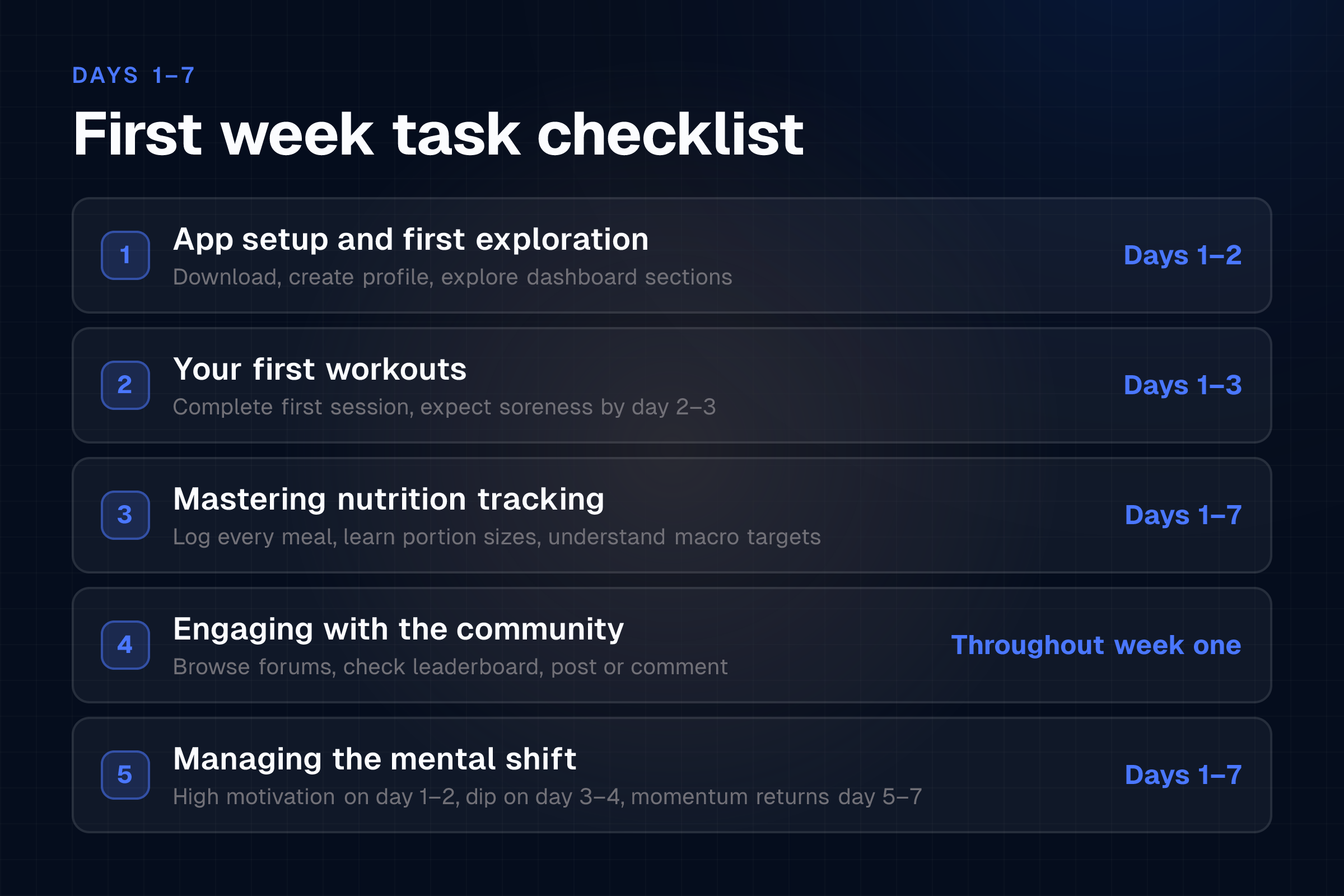
Days 1-2: app setup and first exploration
Download the 8WTC app from the iOS app store and open it. Create your account or log in with your existing 8WTC credentials. Follow the onboarding prompts to set up your profile: age, current fitness level, goal. Select your workout environment, home or gym.
Explore the main dashboard. Familiarise yourself with four sections: workouts, nutrition, community, and leaderboard.
Don't panic if buttons and terminology feel new. You'll build muscle memory quickly.
Days 1-3: your first workouts
Open the Workouts section in the app. Find your first session, usually labelled "Week 1, Day 1". Note the equipment needed and check you have it available. Follow the exercise-by-exercise breakdown, paying attention to form cues, sets, reps, and rest periods.
Perform the session at your own pace. The typical session runs around 60 minutes and is designed for 4 workouts per week. When finished, mark the workout complete in the app.
Expect soreness. DOMS, delayed onset muscle soreness, peaks 24-48 hours after your first session. It's a normal sign your body's adapting. Light movement helps more than complete rest: a walk, gentle stretching, proper recovery timing all ease the discomfort.
Days 1-7: mastering nutrition tracking
Open the Nutrition section. Locate your personalised calorie and macro targets, which are set based on your goal: weight loss, general fitness, muscle gain, fat loss, or body recomposition.
Log your first meal. Start with breakfast. Search for the food in the app's database, select the portion size, and add it. Log everything you eat and drink throughout the day: snacks, oil, sauces, drinks.
At the end of day one, check how you tracked against your targets. Don't stress if you're over or under; you're learning portion sizes. Repeat daily. By day 4-5, logging becomes faster. By day 7, it's routine.
Understand macros: protein, carbs, and fats. Your targets tell you how many grams of each to aim for daily. This flexibility, rather than banning foods, is what makes tracking sustainable.
Throughout week one: engaging with the community
Navigate to the Community section in the app. Browse forums or check the leaderboard to see how others are progressing.
Consider participating. Even a single comment or "well done" to a fellow challenger can boost your motivation and theirs. The leaderboard tracks workouts logged and nutrition tracked; your activity contributes to your ranking within the 31,000-member community.
Use the community as accountability, not comparison. Your week one looks different from someone's week seven.
Managing the mental shift, days 1-7
Day 1-2: High motivation, app excitement, curiosity. Ride this wave and get the app fully set up.
Day 3-4: Soreness peaks, logging feels tedious, motivation dips slightly. Normal. Commit to one more workout and one full day of nutrition tracking.
Day 5-7: Energy returns, tracking gets faster, first habit loop forms. Small wins build momentum: a completed session, a day of perfect tracking, choosing water over fizzy drink.
Key mindset: Consistency beats perfection. A 90% tracked day is vastly better than abandoning the app because you had one off-plan meal.
Example or scenario: Connie's first week
Connie, 34, joined 8WTC without prior app-based fitness experience. She chose gym workouts.
Day 1: Downloaded the app, set up her profile with a goal of fat loss, selected gym workouts. Explored the dashboard for 10 minutes and felt slightly lost. Decided to start her first workout anyway.
Days 2-3: Completed two gym sessions. Her quads and shoulders were sore by day three, but she expected it. She logged both workouts in the app and felt a small sense of achievement.
Days 3-7: Started nutrition tracking. First two days of logging took 10 minutes per meal because she was hunting for the exact food. By day 5, she was logging in 2-3 minutes. Her macro targets were 130g protein, 150g carbs, 60g fat daily. She didn't hit them perfectly, day four she overshot on carbs, but she tracked everything honestly and learned portion sizes.
Day 7: She'd completed four workouts and logged six full days of nutrition. Her soreness had eased. She'd made two comments in the community leaderboard and felt part of something bigger. She said: "I thought I'd give up within a week, but I'm surprised how motivated I feel."
By week two, Connie's learning curve had flattened. Read more on real results from members.
Common mistakes to avoid in week one
Overwhelm from tracking
Logging every gram feels obsessive at first. Start simple: log the main meals and snacks, get comfortable with the process, then refine. Accuracy matters less than consistency at this stage.
Expecting instant physical results
Week one is about establishing habits, not body transformation. You won't see dramatic changes yet. You will build the foundation that weeks 2-8 build on.
Stopping workouts because of soreness
If soreness is mild-to-moderate muscle tenderness, light movement or a follow-up session helps. If pain is sharp or in joints, rest and consider recovery nutrition. DOMS isn't an injury signal; it's adaptation.
Comparing your week one to others' week five
The leaderboard shows people at different stages. Someone with 20 logged workouts has the advantage of practice and habit. Focus on your own week one.
Aiming for perfection and quitting
"I went over on macros, so I've failed", this thinking kills challenges. One imperfect day doesn't derail eight weeks. Get back on track the next meal.
Not setting up the app before joining
Waiting until day five to explore the app wastes momentum. Spend 15 minutes on day one getting familiar with buttons and sections.
Start my transformation. Start my transformation
FAQs
How do I know if my macro targets are right for me?
Your targets are personalised based on your goal and profile when you set up the app. Selected fat loss? Your protein will be higher and calories slightly lower. Selected muscle gain? Calories and carbs will be higher. You don't need to adjust them in week one. Trust the initial setup and assess progress after week four.
What if I can't complete a full 60-minute workout?
Do what you can. A 40-minute session is better than none. The 60-minute duration is typical, but the app scales workouts for different fitness levels. As you progress, your capacity will grow. Starting where you are is the only way to start.
Can I do the same workouts twice a week if I'm excited?
The programme schedules four sessions per week for a reason: it balances volume with recovery. Adding extra sessions in week one increases injury risk and burnout. Stick to the plan. Your enthusiasm will still be there in week two.
What does "macro targets" mean in simple terms?
Your body needs protein for muscle, carbs for energy, and fat for hormone health. The app tells you how many grams of each to eat daily based on your goal. It's not about cutting food groups; it's about balance. Flexible dieting means you hit your targets however you want: pizza, vegetables, protein shakes, whatever.
Will I feel hungry while tracking?
Some people do, some don't. Hunger often signals you need more protein or fibre. If you're consistently hungry, log your meals for a few days and identify what's missing. Increase protein or add vegetables, they're filling and low-calorie. Don't cut calories further in week one; your body's adapting to the workouts.
How often should I check the community leaderboard?
Daily if it motivates you, weekly if it doesn't. The leaderboard is a tool for accountability and inspiration, not a source of pressure. If comparing yourself to others makes you feel inadequate, step back and focus on your own progress.
Ready to make week one count? Start my transformation
General guidance from the 8WTC team, not medical advice. Individual results vary. Always consult your doctor before starting a weight-loss or exercise programme.