Get the app
Closes in44d 10h Access from £24.99

How It Works

Calorie tracking feature and £40 annual savings vs MyFitnessPal

The 8WTC app includes built-in calorie and macro tracking, potentially saving around £40 annually compared to standalone premium tracking apps like MyFitnessPal. This guide walks first-time challengers through setup, daily logging, and navigating the 8-week journey.

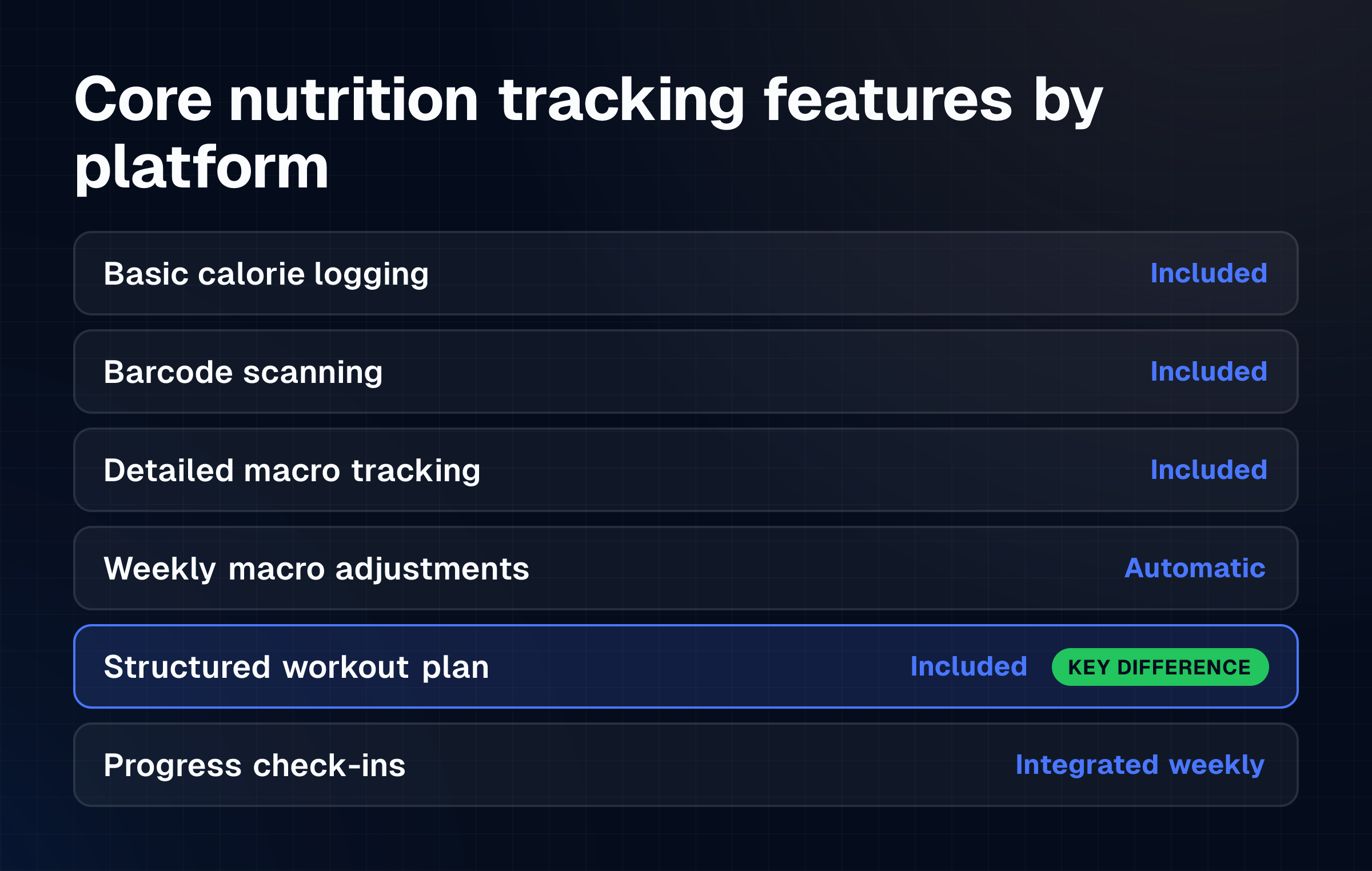
Calorie tracking is the foundation of managing your fitness progress, whether you aim to lose weight, build muscle, or maintain your current physique. The 8WTC app includes built-in calorie and macro tracking as part of its integrated platform, eliminating the need to pay separately for a dedicated nutrition app. Users choosing 8WTC gain comprehensive calorie tracking, macro targets, and flexible dieting guidance within a single subscription, potentially saving around £40 annually compared to standalone premium tracking apps like MyFitnessPal. This guide walks first-time challengers through setting up the app, logging daily intake, tracking macronutrients, and navigating the 8-week journey without confusion or hidden costs.

Quick answer: How 8WTC saves you £40 annually on calorie tracking

Photo: Digital kitchen scale weighing portion of chicken breast for accurate calorie logging

The 8WTC platform bundles calorie and macro tracking directly into its membership, whereas specialist nutrition apps charge separate annual subscriptions. A dedicated premium app typically costs £59.99 per year for advanced tracking features; 8WTC's integrated approach delivers the same functionality as part of a comprehensive fitness program at a lower all-in cost.

For users already committed to the 8-week challenge, adding standalone tracking software becomes unnecessary. You log calories, set macro targets, and adjust your plan without switching between multiple subscriptions or paying extra fees.

What you need first: App setup, macro targets, and weekly check-in basics

Before logging your first meal, complete four preparatory steps to ensure accurate tracking and meaningful results.

Download and register on the 8WTC app

Visit the App Store or Google Play and search for 8WTC to install the official application. Create an account using your email, set a password, and provide your starting weight, age, height, and fitness goal (weight loss, muscle gain, or general fitness). The app will calculate your maintenance calories, the baseline intake needed to sustain your current weight, and adjust targets based on your chosen goal.

Define your calorie and macro targets

Once logged in, the app displays your daily calorie allowance.

Your macronutrient targets (carbohydrates, proteins, and fats) are also set automatically based on your goal. For weight loss, the app creates a caloric deficit, consuming fewer calories than your body expends. For muscle gain, it creates a caloric surplus, consuming more calories than you burn, typically paired with resistance training. Record these target figures in a note or screenshot so you can reference them during meal logging without opening the app each time.

Understand the basics of calorie and macro logging

Each food entry requires a portion size (grams, ounces, or standardized serving units). The app searches a built-in food database; use the barcode scanner when available for packaged goods to ensure accuracy.

Log everything. Breakfast, snacks, beverages, cooking oils, and condiments all count because hidden calories in drinks, sauces, and small items accumulate quickly and skew your daily total if omitted.

Schedule your weekly check-in

Set a fixed day each week (Sunday is common) to review your calorie and macro adherence. The app tracks weekly averages, so one day slightly over or under target is normal; weekly consistency matters more than daily perfection. Plan your check-in for 10-15 minutes to review progress and adjust meal plans or portion sizes if needed.

Step-by-step: Logging calories, tracking macros, and navigating the 8WTC platform

Photo: Mobile device showing calorie tracking app workflow with meal entry screens

Calorie logging becomes routine once you establish a workflow. Follow these steps daily to stay on track.

  1. Open the app and select "Log Meal" or "Add Food." Choose the meal category (breakfast, lunch, dinner, snack) to keep your day organized.

  2. Search for the food item. Type the name of your food or scan the barcode if it's a packaged product. The app displays multiple matches; select the entry that matches your product most closely. Branded items (e.g., "Tesco Chicken Breast") are usually more accurate than generic entries.

  3. Enter the portion size. Weigh your food on a kitchen scale and log the exact amount in grams or ounces. If a scale isn't available, use standardized measures: a chicken breast ≈ 150-180g, a cup of rice ≈ 150g cooked, one tablespoon of oil ≈ 15g. Underestimating portion size is one of the most common errors, so invest in a basic digital scale if precision matters to your goal.

  4. Review the calorie and macro breakdown. The app shows total calories, protein, carbohydrates, and fats for each entry. If the numbers seem wrong (e.g., a small snack logged as 500 calories), delete the entry and search again or choose a more specific database match.

  5. Check your daily total before bed. Open the "Today" tab to see your cumulative calories and macros. If you have remaining calories, decide whether to add a snack or finish the day under target. Aim to finish within 50-100 calories of your daily goal most days.

  6. Use the macro tracker to stay balanced. The app displays progress bars for protein, carbs, and fats. Prioritize hitting your protein target first, this macronutrient supports muscle recovery and satiety. Distribute remaining calories between carbs and fats based on your food preferences and training intensity.

  7. Log water and non-caloric beverages separately (optional). While water has no calories, tracking it helps you meet hydration targets. The app may prompt you to log water intake; this is supplementary and doesn't affect your calorie allowance.

  8. Navigate the community leaderboard. The 8WTC platform includes a 31,000-member community. Access the leaderboard to see challenger rankings, view transformation photos, and read progress posts. Community accountability reinforces consistency; seeing others' results often motivates stricter adherence to your calorie and macro targets.

  9. Access meal planning and recipe tools. If the app includes a meal plan builder, use it to pre-log entire days of meals. This allows you to adjust portion sizes or swap ingredients before shopping, ensuring you stay within your calorie and macro targets without daily guesswork.

  10. Submit your weekly check-in. Upload a progress photo, log your current weight, and note any challenges or wins from the week. The app may store these check-ins to track visual and numerical progress over the 8 weeks.

Example or scenario: A first-timer's week-by-week journey through the 8-week challenge

Real-world tracking often differs from theory. This scenario illustrates common patterns, energy fluctuations, and how to respond.

Week 1: High motivation, easy logging

Sarah downloads the 8WTC app, sets a weight-loss goal, and receives a daily calorie target of 1,800 calories and a protein target of 140g. She logs every meal meticulously, stays within 50 calories of target each day, and loses 2 kg by her first weigh-in. The novelty of the app makes tracking feel manageable, and the community leaderboard motivates her daily.

Week 2: Plateau anxiety

Sarah sees no weight change this week despite perfect adherence.

She's logged 1,800 calories each day and hit her macros consistently. The app shows her weight fluctuates 0.5-1 kg daily due to water retention, hormones, and digestion timing. She learns that weekly average is more reliable than daily fluctuation and resists the urge to cut calories further. By the end of the week, she's down 1.5 kg from baseline.

Week 3: Energy dip and hunger

Sarah feels lethargic during her workouts and experiences persistent hunger. She reviews her macro split and realizes her carb intake is too low relative to her training intensity. She adjusts her macros slightly, increasing carbohydrates by 30g on workout days, reducing fat slightly to stay within her calorie target. Energy improves within two days. She also logs more high-protein, high-fiber foods (chicken, broccoli, oats) to increase satiety on fewer calories.

Week 4: Momentum and refinement

Four weeks in, Sarah has lost 5 kg and feels confident using the app.

She notices certain foods (e.g., nuts, oils, sugary drinks) cause her to exceed her calorie target easily. She identifies her trigger foods and replaces them with lower-calorie alternatives that satisfy the same craving. She also discovers pre-logging meals the night before prevents impulsive overeating during the workday.

Week 5: Plateau return

Despite continued effort, Sarah's weight stalls for three days. She reviews the app's data and realizes her average daily intake has crept up to 1,850 calories due to portion size creep. She resets her kitchen scale and tightens logging accuracy. She also increases her cardio slightly to create a deeper deficit. Weight loss resumes within five days.

Week 6: Consistency habit

Sarah now logs meals without thinking.

The app has become a habit, like brushing her teeth. She notices her weekly check-in shows steady improvements in strength (heavier weights lifted) and appearance, even on weeks when the scale doesn't change. She learns that body recomposition, losing fat while gaining muscle, can mask weight loss, and the app's before photos reveal the transformation even when the scale is stubborn.

Week 7: Final push

Approaching the end, Sarah is 9 kg lighter and stronger. She's also built a habit of scanning food, estimating portions, and hitting her macros reliably. She feels prepared to sustain this approach beyond the 8 weeks. She adjusts her calorie target upward slightly (to account for less weight to carry) and prepares her maintenance calorie plan for after the challenge ends.

Week 8: Completion and reflection

Sarah completes the 8-week challenge with a 10 kg loss, visible muscle definition, and a mature understanding of calorie and macro tracking. She no longer sees the app as a temporary tool but as a sustainable habit for long-term health. She considers submitting her transformation photo to the community leaderboard and exploring the 40-week flagship program for deeper progress.

Common mistakes: Portion errors, liquid calories, and plateau patterns to avoid

Most tracking failures stem from consistent errors rather than occasional slip-ups. Awareness prevents these pitfalls.

Underestimating portions

A serving of peanut butter is 1 tablespoon (16g), not a heaping spoonful. A slice of bread is usually 30-40g, not eyeballed thickness.

Users often log portions 20-40% smaller than actual intake, which masks a calorie surplus as adherence. Invest in a kitchen scale and weigh solid foods for the first 2-3 weeks until you internalize realistic portion sizes. Liquid foods (yogurt, peanut butter, sauces) especially require precise measurement because they compress or spread unpredictably.

Ignoring liquid calories

A daily coffee with two tablespoons of milk and honey adds ~80 calories. A 500ml bottle of sports drink contains 200+ calories. Juice, smoothies, alcoholic drinks, and plant-based milk alternatives accumulate silently if not logged. Log all beverages except water and unsweetened tea. Many users who plateau despite "perfect" logging discover unlogged drinks account for 200-400 hidden calories daily.

Not adjusting targets as weight changes

Your calorie and macro targets were calculated based on your starting weight.

As you lose weight, your maintenance calories decrease, a 10 kg loss can reduce daily expenditure by 100-150 calories. Failure to adjust your targets means you gradually enter a smaller and smaller deficit, which stalls progress. Review and recalculate your targets every 4-5 kg of weight loss. Many users mistake this natural plateau for "broken metabolism" when it simply reflects reduced body mass.

Logging inaccurately for "special meals"

Restaurant meals, homemade dishes, and takeout are common logging pitfalls because portion size is ambiguous. A restaurant entree often contains 1.5-2× your estimated portion. When eating out, log conservatively (add 10-20% to your estimate) or ask the restaurant for nutritional information. For home-cooked meals, weigh the entire dish before serving, divide by number of servings, and log each portion precisely.

Treating calories as the only metric

Calorie tracking is a tool, not a religion.

Users who become obsessive about hitting exact targets can develop an unhealthy relationship with food. Allow a ±5% margin (e.g., 1,710-1,890 calories if your target is 1,800). Focus on weekly average adherence, not daily perfection. Also monitor non-scale progress: strength gains, energy levels, sleep quality, and visual changes in the mirror. These often signal progress before the scale moves.

Neglecting macro balance

Hitting your calorie target while eating 60% protein and 40% fat leaves insufficient carbohydrates for training energy. This causes fatigue, poor workout performance, and muscle loss. Prioritize protein (supports muscle recovery), distribute remaining calories between carbs and fats based on your training intensity and hunger cues, and adjust weekly if energy dips.

Losing motivation after the 8-week challenge ends

The 8WTC community and leaderboard provide external motivation during the challenge. Once you finish, that structure disappears.

Prepare for this by building tracking into your identity before Week 8 ends. Continue logging after the challenge, even if you relax your target. Transition from a calorie deficit to maintenance or a mild surplus to sustain your results. For those seeking continued structure, 8WTC offers a 40-week flagship program for deeper progress.

FAQs

How accurate is the 8WTC app's food database?

The 8WTC app includes calorie and macro targets as core features, with access to a built-in food database. Accuracy depends on the database entry you select. Branded, packaged foods are usually precise within 5-10 calories. Generic entries (e.g., "chicken, roasted") vary more widely. Cross-reference suspicious entries against multiple database options or use a barcode scanner for packaged goods. If unsure, log the most conservative estimate (higher calories, lower macros than listed) to avoid underestimating intake.

Can I use the app for muscle gain, or is it only for weight loss?

The 8WTC app supports all program focuses: weight loss, muscle gain, and general fitness maintenance. When you register, select your goal, and the app calculates a caloric surplus (more calories than you expend) for muscle gain or a caloric deficit for weight loss. Macro targets also adjust accordingly, muscle gain prioritizes higher protein and carbohydrates to support training recovery. Pair the app with the appropriate macro targets and flexible dieting strategy for your goal.

What if the 8WTC app doesn't have my food listed?

Search for the closest match (e.g., generic "chicken breast" or the brand name if it's a packaged product), and adjust the portion size to match your actual intake. If the database entry seems incorrect, delete it and try a different search term. For unusual foods or home recipes, you can often create a custom entry by entering calorie and macro values manually based on package labels or online nutrition databases. Always err on the side of overestimating calories for custom entries to avoid unintentional undereating.

How often should I weigh myself, and what if the scale does not move?

Weigh yourself once per week on the same day and time (morning, before food or drink) for consistency. Daily fluctuations due to water retention, digestion, and hormones obscure true progress. If the scale stalls for two consecutive weeks despite calorie adherence, review your logging accuracy for portion-size creep, recheck your targets (they may need downward adjustment as you lose weight), and ensure your workouts remain challenging. Visual progress, clothing fit, and strength gains often signal progress when the scale stalls.

Do I need to pay extra for the app's nutrition features, or are they included?

Nutrition guidance, calorie targets, and macro tracking are included with your 8WTC membership. You don't pay extra for the app's tracking features separately. This bundled approach eliminates the need to purchase a standalone nutrition app like MyFitnessPal, saving approximately £40 annually. Compare this to users who maintain separate subscriptions for fitness (8WTC) and nutrition (a third-party app), which doubles your subscription costs.

What happens to my progress data after the 8-week challenge ends?

Your account history, photos, and logged data remain in the app indefinitely. You can review your 8-week journey, track maintenance afterward, or resume tracking if you enroll in a future challenge. The 40-week flagship program offers extended structure and coaching for users ready to continue beyond the initial 8 weeks. Your baseline data from the first challenge informs more precise targets in subsequent programs.

General guidance from the 8WTC team, not medical advice. Individual results vary. Always consult your doctor before starting a weight-loss or exercise programme.


Join the challenge

One challenge — or every
challenge for the entire year.

Most members don't do this once. Unlimited is two challenges a year plus the whole app in between — the push when you need it, and the tools to keep the result when you don't. Bought separately it's £599.86; together it's £349.99.

3 ways in · from £24.99/month

One-off entry

Per Challenge

The full eight weeks — training, food, check-ins and your prize-fund entry.

£149.99/ challenge
The unit price: one challengeMost members run two a year (£299.98)
  • One challenge entry — your eight weeks
  • App access for those eight weeks only
  • Entry to the £18,000 prize fund
  • Full money-back guarantee
Start my transformationFull money-back guarantee · secure checkout
Monthly · cancel any time

Membership

The full fitness app, open access — gym training, recipes, barcode scanning, macros, steps and water.

£24.99/ month
A full year: £299.88and for £50.11 more, Unlimited adds 2 challenges (worth £299.98)
  • Full app access — no challenge included
  • Training plans, recipe library, barcode-scan food logging, weight, steps and water tracking
  • Billed monthly, cancel any time · add a challenge for £149.99 when you want one
Become a Member

Next challenge starts 26 October — enrol any time before it begins.